Blog
When AI Leaves the Screen and Prints the Week
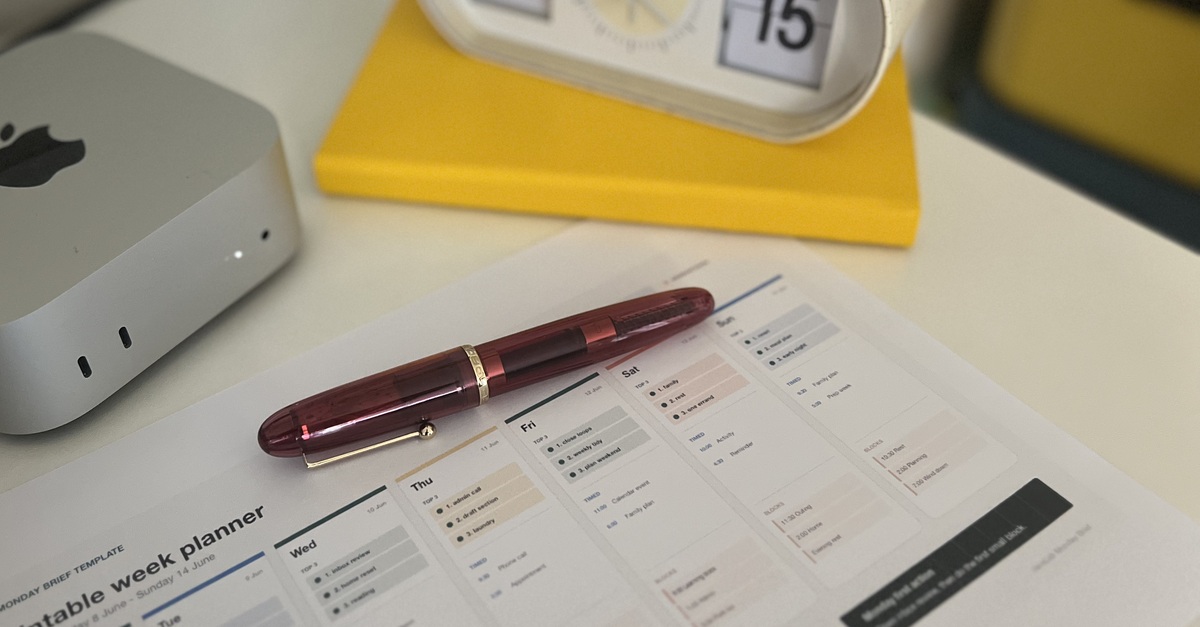
Testing Codex as a quiet personal assistant for household scheduling, reminders and the physical routines of the week.
Every Monday morning, the personal assistant system I built with Codex prints my weekly household schedule so I can read it with my morning tea.
After wrangling appointments, events, reminders, deadlines and public holidays across different calendars and apps, I decided to give Codex a challenge: help me manage the household schedule and keep it current by translating my messy voice notes and hastily written chat messages into a structured plan for the week.
I realised early on that capturing everything in one brain dump was not the main problem. The difficult part was translating those notes into household logistics.
I did not need another calendar or to-do list app with Kanban boards. I needed something that could nudge me and say, "You have a conflict between an activity and the appointment you just asked me to add."
I also wanted a printout because I like having something physical that I can scribble on as things get done or change. It can sit on the fridge, on my desk or inside my notebook instead of remaining hidden inside an app.
That was how an experiment in calendar management became something closer to a small personal assistant preparing the week for me.
The problem was not another calendar
The information already existed digitally, but it was scattered.
Some appointments were in calendars, while other reminders were in notes or messages. Some things were still floating around in my head. A calendar entry might show the time of an appointment, but it would not necessarily capture the related task, the information that still needed confirming or a conflict with something else happening that day.
Codex now acts as a diary keeper and life admin assistant within this setup. I throw random and sometimes cryptic tasks and reminders at it, and it helps structure them into daily priorities, timed appointments, bill reminders, blocks of work time, events and activities.
As the week unfolds, I send things to it as voice notes or quick chat messages, usually through Codex on my phone while I am on the go.
On Friday, for example, I was picking up my dry cleaning and popped into the library, where I discovered I had $77 in fines and two books to hunt down. With my hands full, I asked Codex to add this to the reminders list. It then pointed out that one of the library book reminders had been sitting there since March.
That is the kind of help I was looking for: not another place to store a reminder, but something that could connect new information with what was already there.
What the personal assistant setup does
What I like about having Codex help manage the schedule is that it does more than record appointments.
My current setup uses local calendar information and files stored on my Mac mini. The workflow is not conceptually tied to one calendar app, although I have deliberately kept this version local rather than connecting multiple external accounts.
Important dates, reminders and bill due dates are saved in documents and a simple local database, so the useful information does not remain trapped inside a chat conversation.
From there, the system supports three broad parts of the weekly planning process.
Capturing and structuring
I can speak or type a messy reminder when it comes to mind. Codex then helps translate it into something more useful, such as an appointment, a task, a bill reminder or one of the week's daily priorities.
This matters because the task rarely arrives in my head as a perfectly written calendar entry. It is more likely to arrive as something like:
Add that appointment for next Thursday, but I still need to confirm the time, and remind me that we need to leave early.
The system can capture the reminder while also flagging the piece of information that is still unclear.
Checking and connecting
Codex can flag scheduling conflicts while I am adding something, answer questions about the week ahead and point out where I have left a time or detail unconfirmed.
It can also help with connected tasks. For example, I could add a birthday reminder and then ask it to research a themed gift under a set budget.
The calendar entry is not treated as an isolated piece of information. It can become the starting point for the next practical action.
Reviewing and externalising
The system checks in on Monday, Wednesday and Friday with updates to the schedule, helping me see what has changed and what still needs attention.
Then, every Monday morning, it prints the household planner.
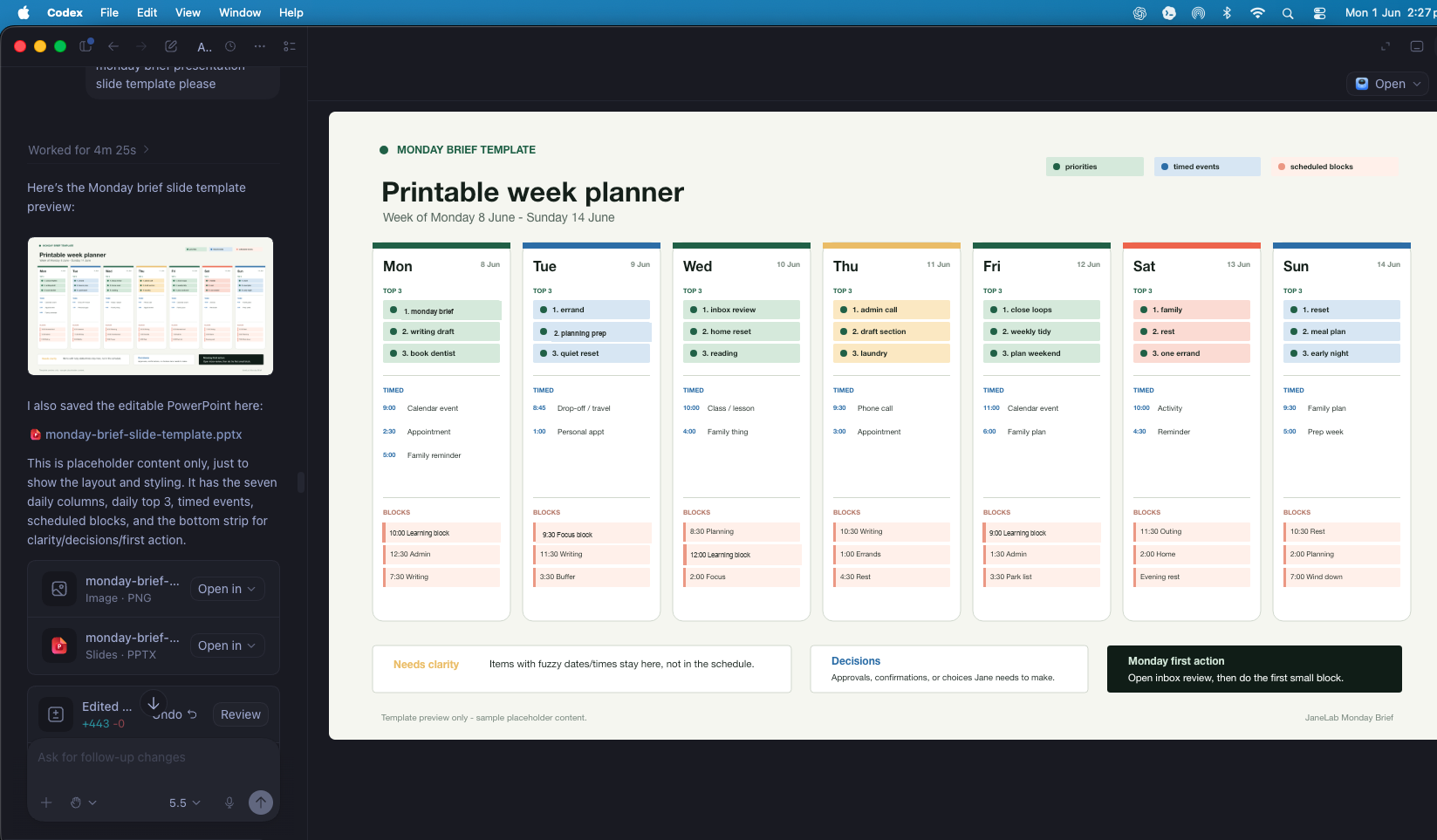
I check it over with my morning tea, annotate it as needed and place copies where they will actually be seen.
Why paper changed the experience
We already had several calendars digitally, but having the schedule printed changed the experience.
Instead of the week remaining hidden across different apps, it became visible and present on the fridge and on my desk. I could look at the whole week without opening my phone, switching between calendars or relying on notifications.
I could also write on it. If something changed, I could mark it. If something was completed, I could cross it out. If I needed to take the schedule with me, I could put it in my notebook.
The funny thing was that this was the demo that impressed the family most. It was not necessarily the most technically complex part of the setup, but it was immediately understandable.
At the scheduled time, the printer started and the week appeared on paper.
That made the system feel less like a typical chatbot interaction and more like having a small personal assistant prepare something before I needed it.
The interesting part was not really the printer itself. It was that the output had moved from a screen-based interaction into the physical rhythm of home life.
The schedule became something we could see, hold and use.
When the right interface is not another app
Once I saw the planner print, I immediately started thinking about other ordinary uses for the same idea.
A business might have a job roster waiting before the team arrives, while a clinic could prepare an appointment summary for the day. A care team might need a handover sheet ready for the next person, or a workplace might print a maintenance checklist in the place where the work will happen.
In many real environments, the problem is not that people need another dashboard. The problem is that the right information needs to be visible in the right place at the right time.
AI on our devices can make it easier to capture, structure and update information, but the best final interface may still be a piece of paper.
That does not make the workflow less advanced. It makes it more appropriate to the context.
Not every useful AI system needs to end in another notification, screen or app. Sometimes the useful result is a physical page waiting in the printer tray on Monday morning.
Boundaries and reliability
This setup still needs clear and sensible boundaries.
I built bounded instructions and "ask before acting" checkpoints into the system. It is not allowed to take every action independently simply because it can access a file or recognise a task.
I also deliberately limit the information included in the system:
- I avoid names and other identifying family details.
- It does not contain school or medical details.
- It does not hold credit card or bank information.
- My current version does not use connected email accounts.
- It does not read personal email.
- Business information is limited to blocks of time reserved for project work.
A printed schedule is only useful if the source information is accurate, current and appropriate to print.
The system has also had hiccups. There have been occasions when the schedule failed to print, which meant I needed to add a small monitoring check. It now records whether the print succeeded and logs failures so I can investigate the cause.
That detail is not as visually satisfying as watching the page appear, but it is part of making an everyday AI system dependable.
Useful automation is not only about what happens when everything works. It also needs a way to notice when something has not happened.
What this taught me about everyday AI
This experiment changed how I think about everyday AI.
The useful part was not simply that Codex could send something to a printer. It was that the system could prepare the week before I needed it, fit into an existing Monday morning ritual and reduce the work of gathering everything myself.
Maybe personal AI becomes most useful when it fades into the background like this. It does not demand another screen, dashboard or system to maintain. It quietly supports a routine that already exists.
The point is not to make daily life more digital. It is to make the information we already have more useful in the places where life actually happens.